


Choosing an API integration platform is a decision that shapes how your systems talk to each other for years to come. Get it right, and your teams save time, reduce errors, and scale with ease. Get it wrong, and you end up locked into a tool that can’t keep up with your business.
If you are new to the concept, our our complete guide to API integration platforms covers what they are and why your business might need one.
Before you sign anything, here are ten questions worth asking every vendor on your shortlist.
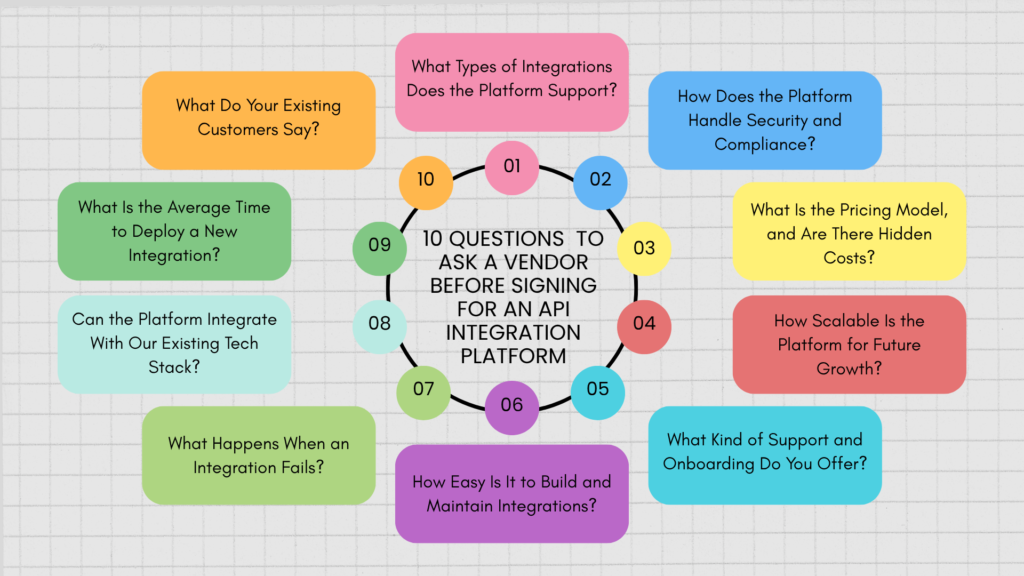
- What Types of Integrations Does the Platform Support?
Not all integration platforms are built the same. Some specialize in connecting SaaS apps, others focus on legacy systems, EDI, or complex enterprise workflows.
Ask the vendor to walk you through the specific connectors, protocols, and data formats they support. Confirm they can handle your must-have systems, not just the popular ones on their marketing page.
- How Does the Platform Handle Security and Compliance?
Your integration platform will touch sensitive data across multiple systems, so security cannot be an afterthought.
Ask about encryption standards, authentication methods, data residency options, and compliance certifications such as SOC 2, ISO 27001, GDPR, or HIPAA, depending on your industry. A vendor who cannot answer this clearly and quickly is a red flag.
For a closer look at what proper security and governance should look like, read our blog titled, API Integration Platform Security and Governance: A Practical Framework
- What Is the Pricing Model, and Are There Hidden Costs?
Pricing structures for API integration platforms vary widely. Some charge per connector, others per API call, workflow, or data volume.
Ask for a full breakdown of costs, including setup fees, overage charges, and what happens if your usage grows. A transparent vendor will show you the numbers upfront instead of burying them in the contract.
- How Scalable Is the Platform for Future Growth?
The platform that fits your needs today may not fit your needs in two years. Growth means more integrations, more data, and more complexity.
Ask how the platform performs under higher transaction volumes and whether scaling up requires a plan upgrade, a re-architecture, or additional engineering work on your end.
- What Kind of Support and Onboarding Do You Offer?
Even the best platform is only as good as the support behind it. When something breaks at 2 a.m., you need to know help is available.
Ask about onboarding timelines, dedicated support contacts, response time SLAs, and whether support is included or billed separately.
- How Easy Is It to Build and Maintain Integrations?
Some platforms require heavy developer involvement for every new connection. Others offer low-code or no-code tools that let business teams build and adjust workflows themselves.
Ask for a live demo of building an integration from scratch. This tells you more about ease of use than any sales deck ever will.
- What Happens When an Integration Fails?
Integrations fail. APIs go down, data formats change, and rate limits get hit. What matters is how quickly you find out and how easily you fix it.
Ask about built-in monitoring, error alerts, retry logic, and logging. A platform with strong observability saves your team hours of guesswork during an outage.
- Can the Platform Integrate With Our Existing Tech Stack?
A platform that looks great in a demo but cannot talk to your CRM, ERP, or internal tools is not going to help you.
Give the vendor a list of your core systems and ask them to confirm real, tested compatibility, not just theoretical support.
- What Is the Average Time to Deploy a New Integration?
Speed matters. If every new integration takes weeks of custom development, the platform is not solving the problem it was meant to solve.
Ask for real timelines from existing customers, not best-case estimates from the sales team.
- What Do Your Existing Customers Say?
Case studies and testimonials only tell part of the story. Ask for references you can speak with directly, ideally companies similar in size or industry to yours.
A confident vendor will connect you without hesitation.
What Are the Red Flags That Signal You Should Walk Away?
Even after asking all the right questions, it helps to know what a bad answer actually sounds like. Here are warning signs that a vendor may not be the right fit:
- Vague answers on security. If a vendor cannot name specific certifications or hesitates when asked about data encryption, treat that as a serious concern.
- Pricing that keeps shifting. If every conversation brings a new number or the vendor avoids putting costs in writing, expect surprises later.
- No references available. A vendor unwilling to connect you with existing customers may be hiding a weak track record.
- Overpromising on timelines. If every integration is described as “quick and easy” regardless of complexity, the reality is often very different.
- Support that sounds like an afterthought. If the vendor cannot clearly explain response times or escalation paths, support will likely disappoint when you need it most.
- Locked-in contracts with no flexibility. Long-term contracts with no exit clause or trial period often mean the vendor is not confident their platform will hold up.
If you notice two or more of these signs during your evaluation, it is worth slowing down and looking at other options.
How Do You Compare Vendors Side by Side?
Once you have answers from each vendor, it helps to lay them out in one place rather than relying on memory or scattered notes. Use a simple scorecard like this during your evaluation:
| Evaluation Area | What to Ask For | Good Sign | Warning Sign |
|---|---|---|---|
| Integrations Supported | List of connectors relevant to your stack | Confirmed, tested compatibility | Vague or "coming soon" claims |
| Security and Compliance | Certifications and encryption standards | SOC 2, ISO 27001, GDPR readily shared | Hesitation or no documentation |
| Pricing | Full cost breakdown, including overages | Transparent, predictable pricing | Numbers that keep changing |
| Scalability | Performance benchmarks at higher volumes | Clear scaling path, no re-architecture | Upgrade required for basic growth |
| Support | SLAs and escalation process | Defined response times, dedicated contact | Generic email-only support |
| Ease of Use | Live demo of building an integration | Low-code or no-code options | Requires developer for every change |
| Reliability | Monitoring, alerting, and retry logic | Built-in observability tools | No visibility into failures |
| Tech Stack Fit | Compatibility with your CRM, ERP, and tools | Verified, tested connections | Only "theoretical" support |
| Deployment Speed | Real timelines from existing customers | Days to a few weeks | Weeks to months, even for simple tasks |
| Customer References | Direct contact with existing customers | Willing to connect you quickly | Reluctant or no references offered |
Fill this out for every vendor on your shortlist. Patterns will emerge quickly, and the platform that consistently lands in the “good sign” column is usually the safest choice.
To learn more about how to make the right choice while choosing an API Integration platform, read our blog on the 10 point evaluation framework, that will help you make the right choice.
Picking the API Integration Platform that Fits
Signing with an API integration platform is a long-term commitment, so it deserves more than a quick comparison of feature lists. Asking the right questions upfront, knowing the red flags to watch for, and comparing vendors side by side helps you avoid costly surprises down the road and ensures the platform actually fits how your business works.
At Aekyam, these are exactly the questions we welcome from every prospective customer. From transparent pricing and strong security to fast deployment and real human support, Aekyam is built to answer these ten questions with confidence, not hesitation. If you are evaluating an API integration platform, we would be glad to walk you through how Aekyam fits into your stack. Request for a demo or connect with our team of experts to choose the best fit for your business.
Frequently Asked Questions
What is vendor lock-in, and how do I avoid it with an integration platform?
Vendor lock-in happens when switching providers later becomes too costly or complex because your workflows, data, and connectors are too tightly tied to one platform. To avoid it, ask about data export options, standard API access, and whether your integration logic can be migrated elsewhere if you ever need to switch.
How many integrations does a typical business actually need to start?
Most businesses start small, often with five to ten core integrations connecting tools like their CRM, accounting software, and email platform. The right platform should let you start with just what you need and add more over time without a major setup overhaul.
Can these API integration platforms connect to older, on-premise, or legacy systems?
It depends on the vendor. Some platforms are built primarily for modern cloud apps, while others also support legacy systems through custom connectors, file-based transfers, or on-premise agents. If you rely on older infrastructure, confirm this specifically before signing.
What should I look for in a free trial or proof of concept?
Use the trial to test your actual use case, not just the demo workflows the vendor provides. Connect a real system, build one working integration, and see how the platform handles an error on purpose. This tells you far more than a guided walkthrough.
What is the difference between an API integration platform and traditional middleware?
Traditional middleware is usually custom-built, on-premise, and maintained by an internal IT team. API integration platforms are typically cloud-based, come with pre-built connectors, and are designed to be set up and adjusted faster, often without heavy engineering involvement.
How long do most contracts with integration platform vendors last?
Contract lengths vary, but many vendors offer monthly or annual terms, with discounts for longer commitments. It is worth asking for a shorter initial term or a pilot period so you can evaluate the platform properly before committing long term.
Share
Read Similar Blogs