


Introduction
You picked the platform. You built the first workflows. The demo went well. Then the usage numbers arrive, and they’re a fraction of what you expected.
It’s one of the most common stories in automation. Adoption of an enterprise workflow automation platform fails less often because the software is weak and more often because people weren’t brought along.
The good news is that these problems are predictable, and that makes them preventable. This blog walks through the most common challenges, why employees resist, how to build buy-in, which technical barriers slow you down, how to train teams and how to sustain adoption after launch. For the full overview, start with the read our comprehensive guide on enterprise workflow automation platforms.
What Are the Most Common Challenges in Workflow Automation Adoption?
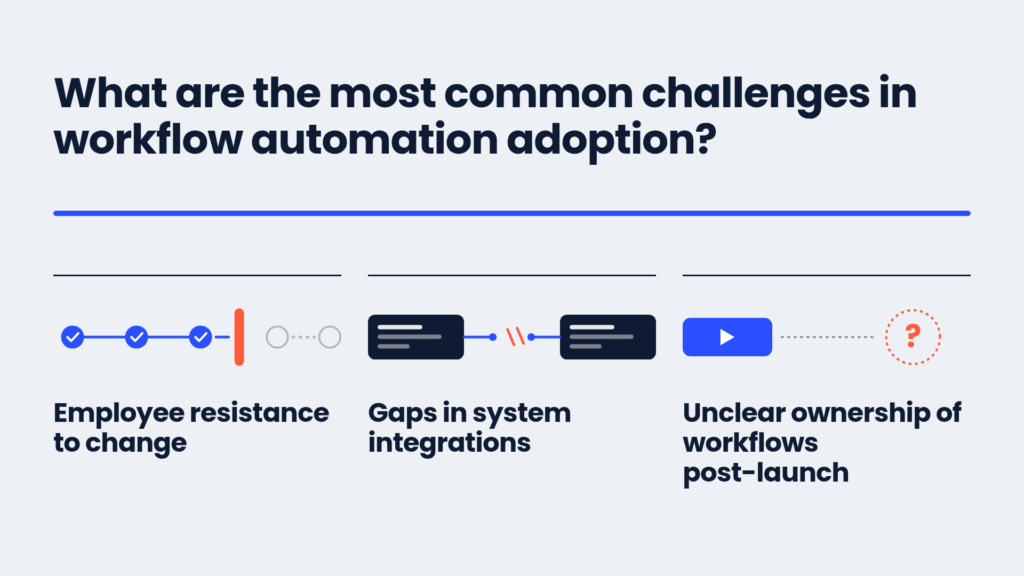
Employee resistance to change
People get comfortable with how they work. A new workflow, even a better one, means learning something new and giving up a familiar routine. Left unaddressed, that discomfort turns into avoidance.
Gaps in system integrations
If a workflow can’t reach the systems people use, they’ll work around it. Partial integrations lead to copy-and-paste steps that defeat the purpose of automation.
Unclear ownership of workflows post-launch
Who fixes a workflow when a rule changes? If nobody knows, small issues pile up until people stop trusting the process. Every workflow needs a named owner, a backup and a simple way for users to report problems. Write ownership into your launch checklist, not your lessons-learned list.
Gartner has also warned that more than 40% of agentic AI projects may be cancelled by the end of 2027 because of rising costs, unclear value or weak risk controls. Ownership, value and controls are all organizational questions.
Why Do Employees Resist Automated Workflows?
Resistance is rarely stubbornness. It’s usually a reasonable response to uncertainty.
Fear of job loss or role changes
The most common worry is the simplest: “Is this replacing me?” Research on workplace technology finds that when people see automation as taking over their core work, they may resist it or bypass it and revert to shadow processes outside the system. Silence on this topic makes it worse.
Unfamiliarity with new tools and interfaces
A new interface slows people down at first. If they’re measured on speed, they’ll protect their old habits. Training and a gentle learning curve matter more than most project plans allow for.
Disruption to existing, familiar routines
Even helpful change breaks routines. People who’ve mastered the old way lose that mastery, which is a real cost. Acknowledge it instead of waving it off.
Think of it like moving a kitchen’s layout. The new layout may be better, but for a few weeks everyone reaches for the wrong drawer. Give people time, a clear map and someone to ask, and the frustration fades. Without that, they’ll quietly rebuild the old kitchen.
How Do You Build Organizational Buy-In for Automation?
Change management best practices
Treat the rollout as a change program, not an IT install. Strong adoption programs pay off: research from Prosci, found that such projects are six times more likely to meet their objectives. Involve employees in designing the workflows that affect them, and they’ll help you improve them.
One practical tactic from the same guide: run the new workflow in parallel with the manual process for about two weeks. People can compare results, check the automation’s work and build trust before they rely on it.
Securing visible leadership sponsorship
Employees watch what leaders do. A sponsor who uses the new workflows, talks about why they matter and removes obstacles sends a stronger signal than any memo. Make sponsorship visible and recurring.
Clear, consistent internal communication plans
Explain what’s changing, why, when and what it means for each role. Repeat it. Share early wins, such as hours saved or a faster approval, so people see the benefit in terms they care about.
Avoid the one-email rollout. A single message saying a process is now automated, and to stop doing it by hand, gives people nothing to hold on to. A simple plan works better: an announcement before the change, a walkthrough at launch, a check-in after the first two weeks and a short results update after the first month.
What Technical Barriers Slow Down Adoption?
Legacy systems that are hard to integrate
Integration with older systems is the top barrier for many organizations. Legacy systems continue to complicate technology adoption. Gartner found that 56% of chief supply chain officers consider integrating AI with legacy systems and processes a major challenge. Ask how a platform connects to older systems, through APIs, file exchange or adapters, and test it early. A library of reusable adapters, like Aekyam’s integration marketplace, helps you avoid starting from zero each time.
Data silos across departments
When each team keeps its own data in its own format, workflows that cross teams break down. Agree on shared definitions for key fields, and use the platform to synchronize data instead of copying it by hand.
General integration complexity
APIs change, systems get upgraded, and connections that worked last quarter can fail. Choose a platform with monitoring and alerts so you find problems before your users do. For help judging this, see our guide on what to look for when evaluating a platform, and explore Aekyam’s application orchestration approach.
How Do You Train Teams to Use a New Automation Platform Effectively?
Effective training formats
Mix formats. Live sessions work for kickoffs and complex workflows. Self-paced modules suit people who learn on their own schedule. In-app guidance helps at the moment of need. Match the format to the audience, since a casual approver needs far less than a workflow builder.
Building a power-user and champion program
Pick a few enthusiastic people in each team and give them early access, extra training and a direct line to the project team. Colleagues will ask a nearby champion before they’ll ask a help desk. Champions also bring back honest feedback.
Ongoing documentation and support resources
Keep short guides, FAQs and quick videos where people can find them. Update them as workflows change. Outdated documentation is worse than none.
How Do You Sustain Adoption After the Initial Rollout?
Ongoing support channels
Make help easy to reach: a dedicated channel, office hours and a clear escalation path. Fast answers in the first weeks set the tone for long-term use. If people wait days for help with a stuck workflow, they’ll go back to email and not return.
Regular feedback loops with users
Ask people what works and what doesn’t. Short surveys, champion check-ins and workflow-level comments all help. When you act on feedback, say so, and trust grows.
Iterating on workflows based on real usage data
Use your analytics. Where do requests stall? Which steps do people skip? Which workflows go unused? Treat each workflow as a product you keep improving, not a project you finish.
Turning Resistance Into Adoption Momentum
Adoption is earned. Name the real concerns, involve people early, back the change with visible leaders, solve the technical gaps and keep supporting users after launch. Each step turns skeptics into advocates.
Remember what you’re really managing. The workflows are the easy part. The harder, more rewarding part is helping people see that automation takes the repetitive work off their plate and leaves them with the work that needs their judgment.
Aekyam is an AI-powered orchestration platform that connects applications, data and AI agents to automate enterprise workflows, with low-code tools that business teams can learn. Request a demo or contact us to plan an adoption approach that fits your teams.
Frequently Asked Questions
How do you handle departments that refuse to adopt automation?
Start by listening. Resistance often points to a real problem, such as a workflow that doesn’t fit their process. Involve the department in redesign, show peer results from other teams and make sure sponsors reinforce expectations. Mandates work best after the groundwork is done.
What’s a realistic adoption timeline?
It varies with your size and the number of workflows. Expect early adoption in pilot teams within weeks, and broader adoption to build over months as you add waves. Rushing usually backfires, so plan for gradual growth and track usage along the way.
Can you incentivize adoption without mandates?
Yes. Make the new way easier than the old way, celebrate early wins, recognize champions and share time-saved results. When people feel the benefit directly, you rarely need a mandate.
How do you address concerns from unionized or highly regulated workforces?
Involve employee representatives early, be transparent about what’s automated and what isn’t, and explain how roles will change. For regulated environments, show how audit trails and access controls support compliance. Check requirements with your legal and HR teams.
What’s the role of middle management in driving adoption?
It’s pivotal. Managers shape daily habits and translate strategy into practice. If they’re unconvinced, their teams will be too. Brief them first, give them talking points and ask for their input.
How do you measure whether adoption efforts are working?
Track usage and outcomes together. Look at the share of eligible requests running through the platform, active users by team, cycle times, support tickets and user feedback. If usage grows and cycle times fall, your efforts are working.
Share