


Introduction
Ask ten leaders how work moves through their company and you’ll get ten different answers. An invoice waits in someone’s inbox. An access request bounces between IT and a manager. A contract sits in review because nobody knows whose turn it is. Each delay looks small. Together, they slow the whole business.
That’s the problem an enterprise workflow automation platform solves. It turns the hand-offs, approvals and data transfers that connect your teams into governed, repeatable workflows that run on their own.
The timing matters. Analysts estimate the workflow automation market at roughly $26 billion in 2026, and Gartner expects 40% of enterprise applications to include task-specific AI agents by the end of 2026, up from under 5% a year earlier. Automation is no longer a back-office extra.
This blog covers what these platforms are, how they work, what they automate and how to choose one. Each section points to a deeper guide when you’re ready to go further.
What Is an Enterprise Workflow Automation Platform?
An enterprise workflow automation platform is software that designs, runs and monitors business processes across your applications, data and people. It handles the triggers, the routing, the approvals and the data exchange, and it does so with the security, permissions and audit trails a large organization needs.
How it differs from basic task automation, RPA and point-solution tools
Basic task automation handles one action in one app. Robotic process automation (RPA) mimics clicks on a screen, which works on older software but breaks when an interface changes. Connector-based integration tools link cloud apps faster and hold up better, but their logic is fixed in advance and can’t reason about ambiguity.
The newest generation uses AI agents that work toward a goal, choose tools on the fly and read unstructured inputs like emails and contracts. An enterprise platform brings these approaches under one roof, with governance across all of them. Point solutions, by contrast, each solve one slice and leave you stitching the rest together.
Why Do Enterprises Need Workflow Automation in 2026?
Four pressures keep showing up in enterprise planning:
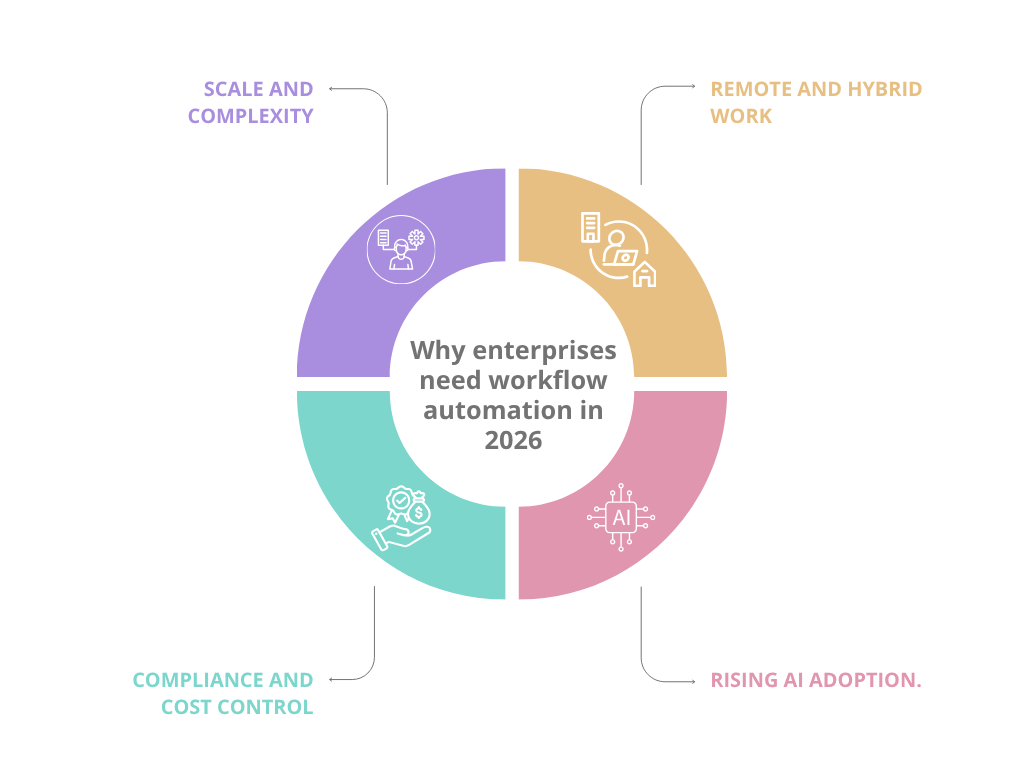
- Scale and complexity. More systems, more teams and more regions mean more hand-offs. Manual coordination doesn’t stretch that far, and every new application adds another place where work can stall.
- Remote and hybrid work. When people aren’t down the hall, the quick “did you see my request?” check disappears. Automated routing, reminders and escalations fill that gap, so work keeps moving across time zones without someone playing messenger.
- Rising AI adoption. AI is moving from side tools into core applications. It needs an orchestration layer to act inside real processes, not just answer questions. Without one, you end up with clever assistants that can’t finish the job.
- Compliance and cost control. Auditors want proof of who approved what and when. Finance wants a lower cost per transaction. In Europe, the EU AI Act is also reshaping how buyers assess automated decision systems, which raises the bar for traceability.
Put these together and the question changes. It’s no longer “should we automate?” but “how do we automate in a way that’s governed, visible and easy to change?” That’s the job of a platform, not a collection of scripts.
How Does an Enterprise Workflow Automation Platform Work?
Every workflow follows the same arc: something starts it, steps carry it forward, and systems exchange data along the way.
- Triggers that initiate a workflow
A trigger is the event that starts the process. It might be a submitted form, a status change in your CRM, an incoming email, a scheduled time or a call from another system through an API or webhook.
- How workflows move through steps, approvals and conditions
Once triggered, the workflow runs through steps in sequence or in parallel. Conditions decide the path. A purchase request under a set limit might be approved automatically, while a larger one routes to a manager, then to finance. If nobody responds in time, the platform escalates.
- How the platform connects to and exchanges data with other systems
Connectors and APIs let the platform read from and write to your ERP, CRM, HR and finance tools. See how this works across enterprise applications.
A quick example: onboarding a new hire
Here’s how the pieces fit together. HR marks a candidate as hired, and that status change is the trigger. The workflow creates an email account, requests a laptop from IT, assigns training and notifies the hiring manager. If the laptop request sits untouched for two days, the platform escalates it. Nobody retypes the same details into four systems, and everyone can see where the process stands.
What Are the Core Components of an Enterprise Workflow Automation Platform?
- Orchestration and workflow engine
This is the brain. It manages state, order, retries and error handling, so a failed step doesn’t silently kill the whole process. It also handles long-running work, like an approval that takes a week, without losing its place.
- Connectors and APIs for third-party integrations
Prebuilt connectors speed up setup. Open APIs cover the systems no connector reaches. Together they decide how much of your stack the platform can actually touch. A reusable library, also means you build a connection once and reuse it.
- Analytics and reporting layer
You can’t improve what you can’t see. Look for cycle times, bottlenecks, failure rates and volumes by workflow. The best dashboards tell you not only that something is slow, but where it’s slow.
- Low-code and no-code workflow builder
A visual builder lets business teams design and adjust workflows without waiting on a development queue. Aekyam’s low-code AI workflow orchestration platform is built around this idea.
- Governance, permissions and security layer
Role-based access, approval controls, audit logs and data protection keep automation safe to scale. Without them, you’re just automating risk.
What Types of Workflows Can Be Automated Across an Enterprise?
- HR: onboarding, leave approvals and offboarding
HR workflows involve many people and many systems, which makes them a natural fit. Automation keeps new hires, leave requests and exits moving without constant follow-up, and it makes sure access is removed on time when someone leaves.
- Finance: invoicing, expense approvals and reconciliations
Finance runs on matching, checking and approving. Automating those steps shortens close cycles, reduces rekeying errors and leaves a clean record for auditors.
- IT: ticketing, access requests and provisioning
IT teams drown in repeat requests. Workflows can route tickets by type, request manager approval for access and provision accounts automatically, so people wait less and standards stay consistent.
- Sales and CRM: lead routing and quote approvals
Speed matters when a lead comes in. Rules can assign leads by territory or product, and approval flows keep discounts and quotes moving without a long email chain.
- Operations: procurement and vendor management
From purchase requests to vendor onboarding, operations teams juggle approvals and documents across several systems. A workflow keeps each request visible and each approval on the clock.
The common thread is repeatable work with clear rules and more than one person or system involved.
How Does Workflow Automation Compare to Traditional Manual Processes?
| Factor | Manual process | Automated workflow |
|---|---|---|
| Speed | Requests wait in inboxes. One benchmark puts typical approval cycles at 3–5 days | The same benchmark targets under 4 hours. In another, invoice processing falls from 14 days to about 3 |
| Error rate | Rekeying and missed steps cause mistakes | Rule-based consistency: 40–75% fewer errors overall, and 80–90% fewer on data entry |
| Cost | Labor-hours spent on every transaction, every time | Upfront platform investment, then lower cost per transaction. Invoice processing costs fall roughly 30–75% across published benchmarks |
| Scalability | Volume growth means headcount growth | Replicate a proven workflow for a new team, region or business unit |
There’s one more difference the table can’t show. A manual process lives in people’s heads and inboxes, so it changes whenever someone leaves or goes on leave. An automated workflow is documented by design. Anyone can open it, see the steps and propose a change.
What Should You Know Before Choosing an Enterprise Workflow Automation Platform?
Why evaluation criteria matter before shortlisting vendors
Demos are designed to impress. An evaluation scorecard keeps you focused on what your business needs, and it gives IT, finance and the department heads one shared yardstick. Without it, the loudest voice in the room, or the slickest demo, tends to win. One buyer’s framework may differ from yours, but writing the weights down first is the point.
What are some of the key factors buyers weigh
Some of the key factors that buyers weigh are:
- Features: the core capabilities the platform offers
- Integrations: how well it connects with existing tools and systems
- Security: data protection, access controls, and compliance
- Scalability: the ability to grow with the organization’s needs
- Support quality: responsiveness and expertise of the vendor’s team
- Pricing transparency: clear, predictable costs without hidden fees
Is Workflow Automation Worth It for Your Enterprise?
When it pays off fastest
Automation earns its keep when a process is:
- High-volume: it runs often enough for savings to add up
- Rule-based: it follows clear, repeatable logic
- Cross-functional: it crosses systems or teams
Some of the best use cases to automate first would be:
- Invoice approvals
- Access requests
- Onboarding
- Lead routing
These workflows have obvious start and end points, so you can measure the before and after.
When to hold off
Fix the process first if it:
- Changes every week
- Depends on one person’s judgment
- Has no owner
Automating a moving target means rebuilding it constantly. A short process-mapping exercise often reveals steps you can remove before you automate anything.
What the numbers say
Usually, yes, it’s worth it. One benchmark reports a median first-year ROI of 200–400%, with breakeven in two to four months. Those figures are optimistic and vary by process, so use them to frame a business case, not to promise a result.
Here’s the pushback: automating a broken process just breaks it faster, and Gartner has warned that over 40% of agentic AI projects may be cancelled by the end of 2027 because of rising costs, unclear value or weak risk controls. Start with a clear process, a clear owner and a clear metric.
Ready to See an Enterprise Workflow Automation Platform in Action?
Three points to carry forward. An enterprise workflow automation platform is an orchestration layer, not a single-purpose tool. The best first workflows are repeatable, rule-based and cross-team. And the right platform comes from clear criteria, not a polished demo.
Aekyam is an AI-powered orchestration platform that connects applications, data and AI agents to automate enterprise workflows. Book a demo or contact our team to talk through your first workflows, and understand what Aekyam can do for your business.
Frequently Asked Questions
Is workflow automation only for large enterprises?
No. Large organizations feel the pain most, but mid-sized and smaller businesses benefit too, especially once approvals and data hand-offs start to multiply. The difference is scope. Smaller teams usually start with a few workflows, while larger ones automate across several departments.
How long does it take to see results after adopting automation?
Pilot workflows can show results within weeks. Published figures vary: one benchmark reports breakeven in two to four months, and another report finds about 60% of organizations achieve ROI within 12 months. Plan in months, and track results from day one.
Does automation replace employees?
The goal is to remove repetitive work like rekeying and chasing approvals, not to remove people. Roles do change, though. Teams spend less time on routine steps and more on exceptions and judgment calls. Being honest about that early makes adoption much smoother.
What industries benefit most from workflow automation platforms?
Any industry with heavy approvals, compliance needs and multiple systems benefits: banking, insurance, healthcare, retail, manufacturing and logistics among them. One estimate puts healthcare’s administrative savings from automation at $18 billion a year.
Can workflow automation platforms be customized to unique business processes?
Yes. A good platform combines a visual builder, configurable rules and open APIs, so you can model your process instead of bending it to a template. Ask vendors how much customization needs code and how much stays with business users.
What’s the typical cost range for an enterprise workflow automation platform?
It varies widely. Published per-user pricing across tools runs from roughly $5 to $79 per user per month, while enterprise tiers are usually custom-quoted. Ask for total cost across users, workflows and integrations. You can also review Aekyam pricing.
Share
Read Similar Blogs

Ten Questions to Ask a Vendor Before Signing for an API Integration Platform
September 28, 2026

API Integration Platform Security and Governance: A Practical Framework
September 18, 2026